

Adora Drop Week: 5 New Features
Read about our latest launches that transform how your build beautiful products.

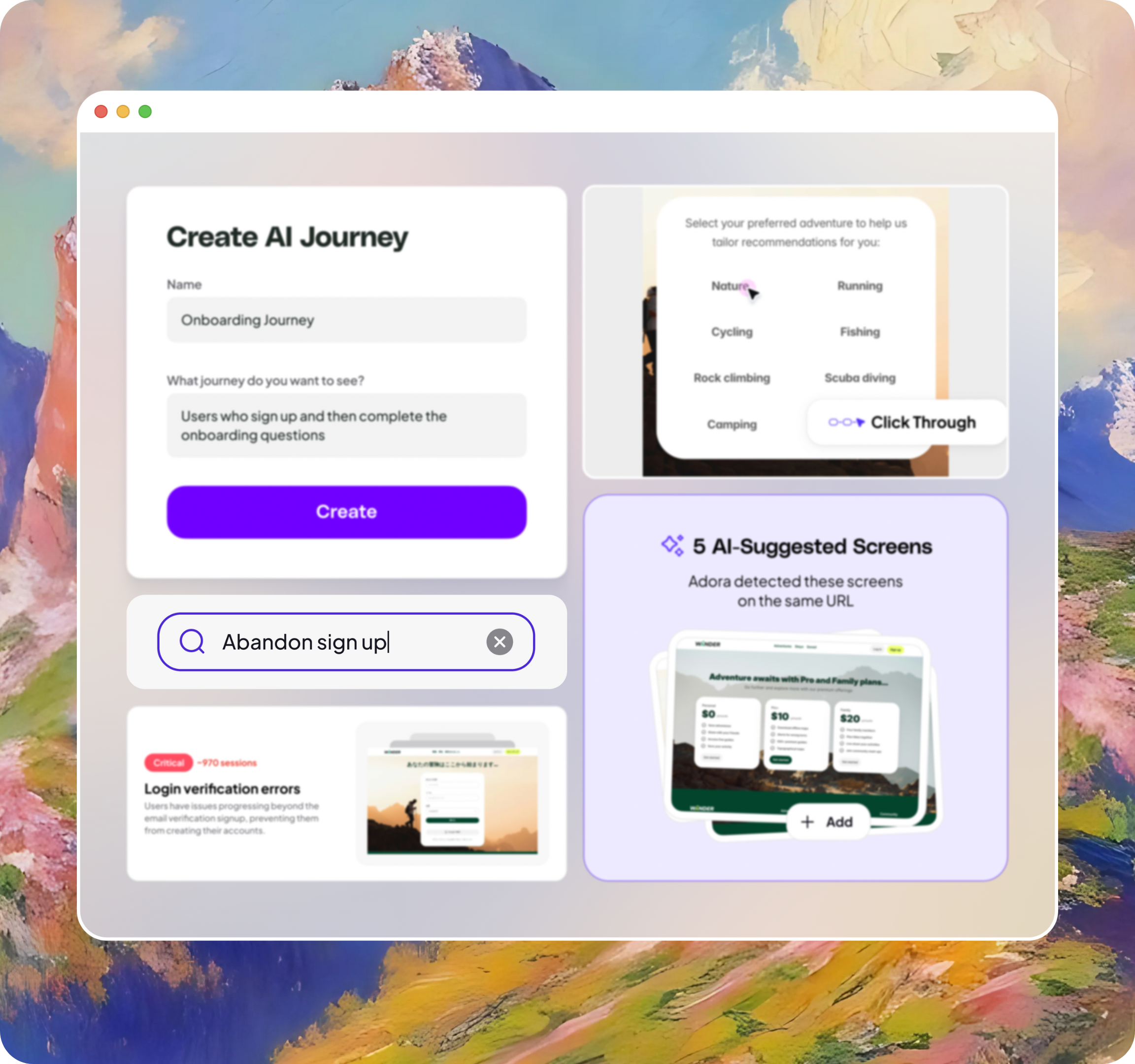
Our first-ever drop week is officially in the books, and what a week it was. Each day brought something our community has been asking for to help them visualise, analyse and optimize their user journeys.
Here is everything we launched.
AI Journeys
When we asked our users to wave their magic wand and tell us what they needed most, this is what they asked for 🪄. No more screenshotting your product or hunting for demo account logins.
With AI Journeys, you simply describe the user journey you want to explore—”show me the onboarding flow” or “map the checkout process”—and Adora automatically generates a complete journey map using your actual product screens.
Visualize your entire product in one place with the power of AI Journeys.
Click-Through Journeys
Step into your users’ shoes and map journeys by clicking around your product, just like you would with a Figma prototype.
Here’s how it works: Pick any screen in your product and start clicking. As you navigate through your interface, you’re building a journey map in real-time while watching actual user behavior unfold on that exact path.
Discover unexpected detours or where your “perfect” flow breaks down in reality.
Understand your product deeply with by seeing it through your users eye’s along side session replays and analytics.
AI Suggested Screens
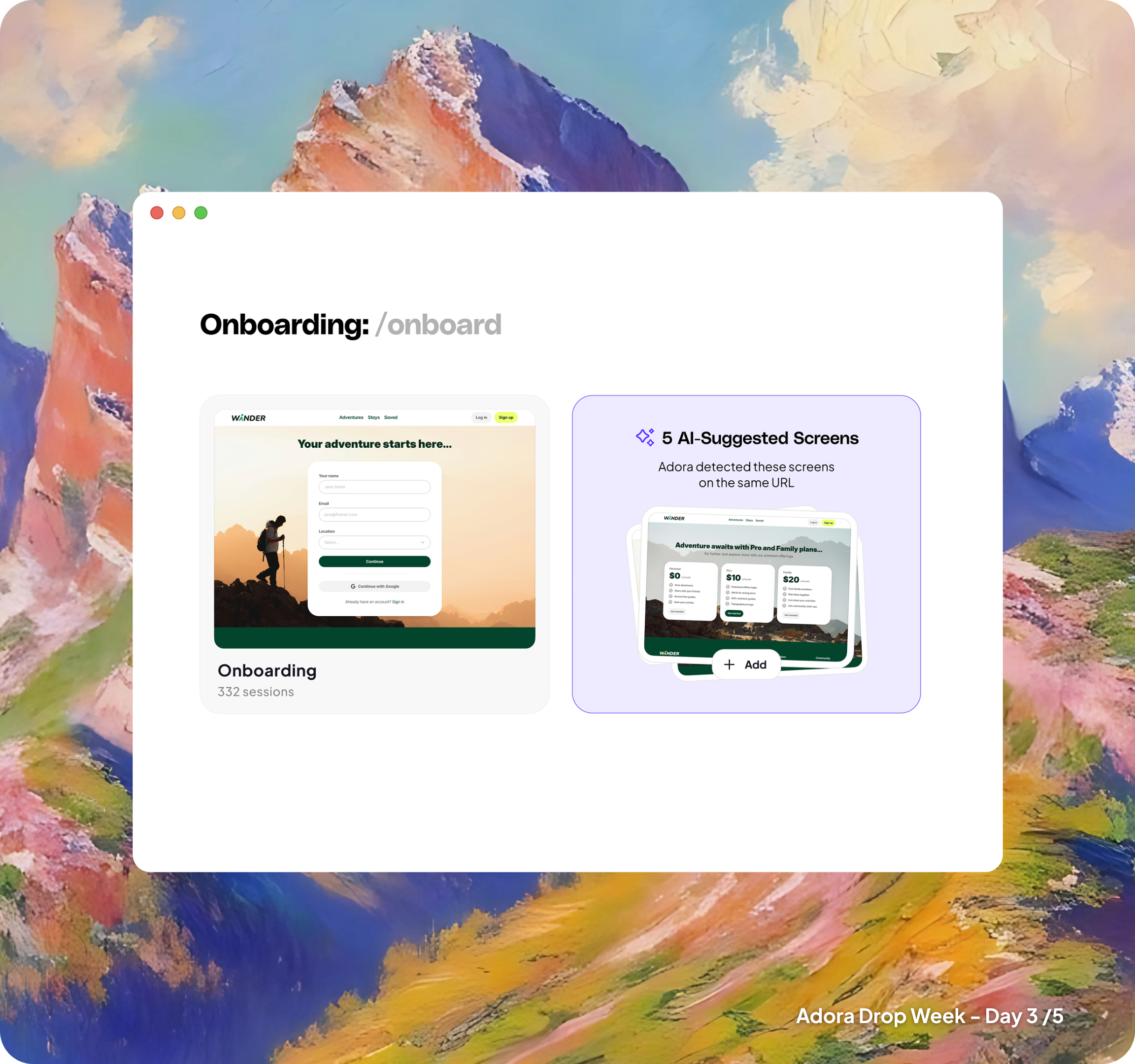
In reality, your product has way more screens than you think.
Every A/B test variant, error state, modal popup, and dynamic page creates unique screen experiences. Most teams lose track of what users actually encounter in production.
AI-Suggested Screens gives you X-ray vision into your entire product ecosystem.
What happens automatically:
→ Adora discovers every screen state in your live product
→ Categorizes new pages, variations, and error conditions
→ Organizes everything into one searchable library
Session Summaries
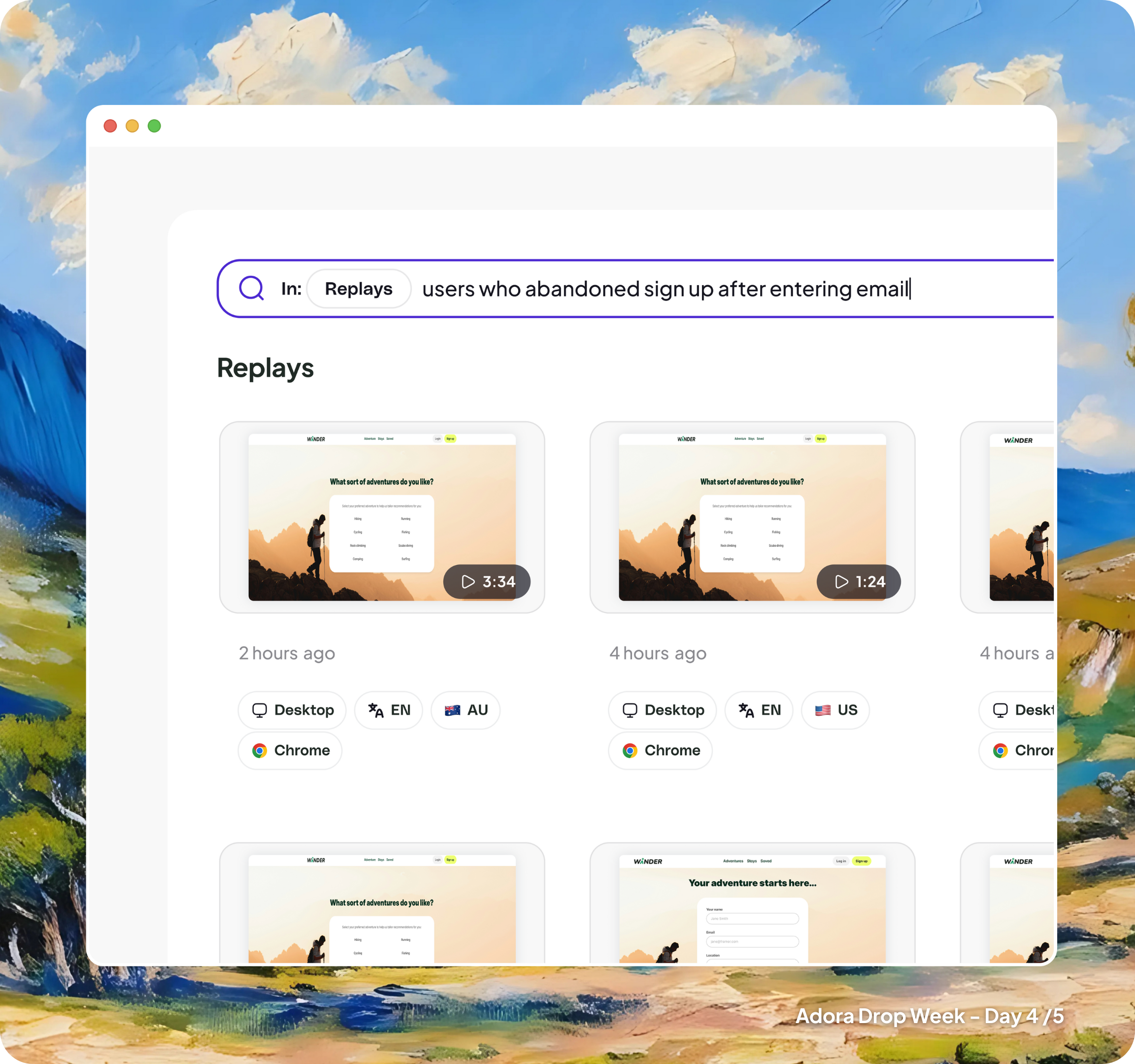
Imagine being able to Google your own product usage. Session Summaries makes this a reality by creating searchable, AI-generated summaries of user behavior across all sessions.
Want to find “users who struggled with payment setup” or “successful onboarding sessions from mobile users”? Just search for it. Session Summaries transforms millions of user interactions into discoverable insights.
Frustration Signals
Ever wish someone would just point at your product and tell you exactly what’s broken? We built that.
Frustration Signals uses AI to automatically detect when users hit real problems—running out of credits, getting stuck in loops, payment failures—and surfaces them in a digestible compilation showing you how many people were impacted and the exact sessions where it happened.
These aren’t generic rage clicks or dead clicks. These are frustrations specific to your product, with insights that link directly to your product context.
Join the waitlist
These features help product teams visualize, analyze, and optimize their products in entirely new ways—giving you visual context of your product, straight-to-the-source issue finding, and the ability to search your product like Google. Together, they transform scattered insights into crystal-clear understanding that drives real results.
Join our waitlist and be among the first to experience Adora.